 CatchHub
Everything your PC needs, in one app.
It frees up memory, measures startup, explains problems in plain words and steps aside when you start a game.
FreeNo adsNo accountVersion 3.7.016.1 MBWindows 10 and 11
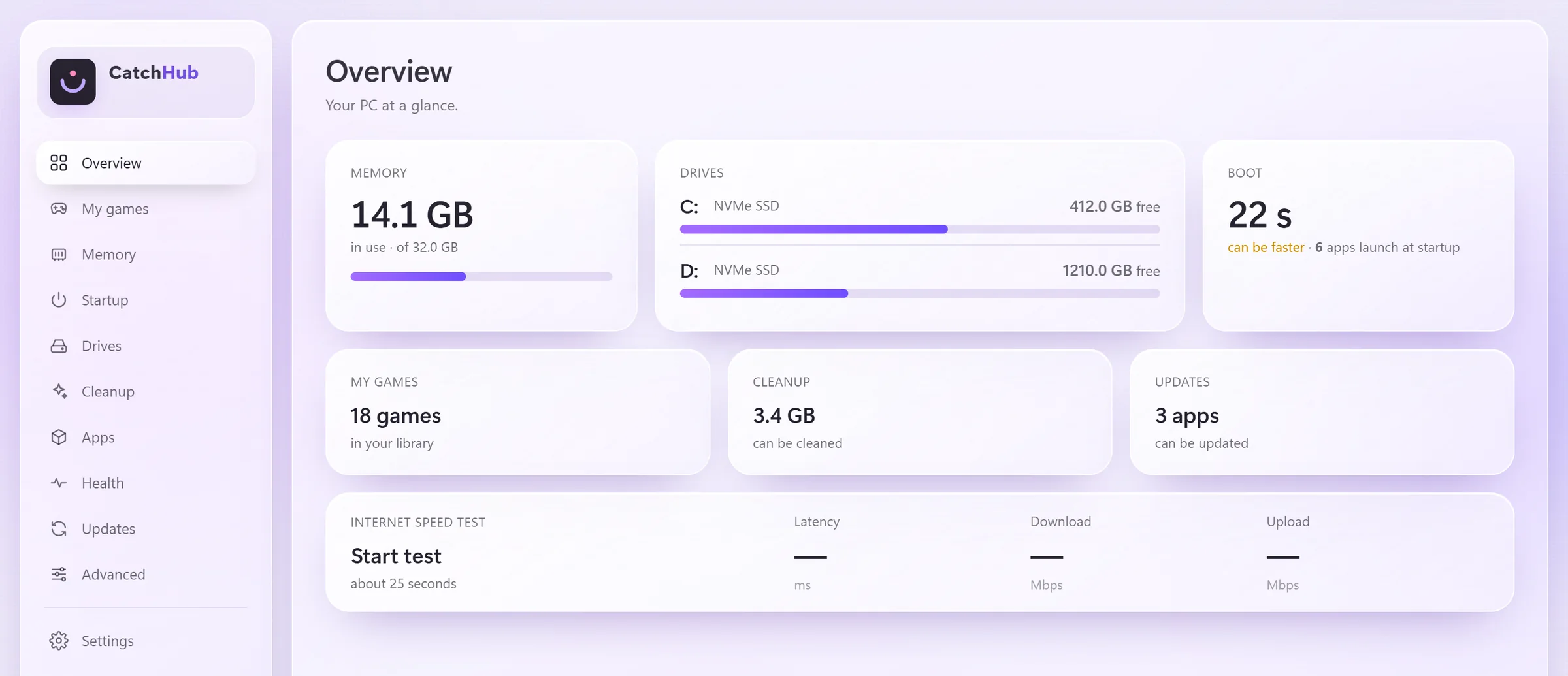
One app
No more hunting for separate programs.
A cleaner, an uninstaller, an FPS counter, a speed test site… No need to find, install and keep each one up to date. CatchHub does all of it on its own, and it all speaks the same plain language.
- Cleaner
- Deep uninstaller
- Update checker
- Startup manager
- RAM cleaner
- FPS counter
- Game library
- Internet speed test
- Drive health tool
- Disk space analyzer
- Driver checker
- Crash analysis
- Bulk app installer
- Backup tool
- Monitor settings
- System info tool
- Windows repair tools
- DNS changer
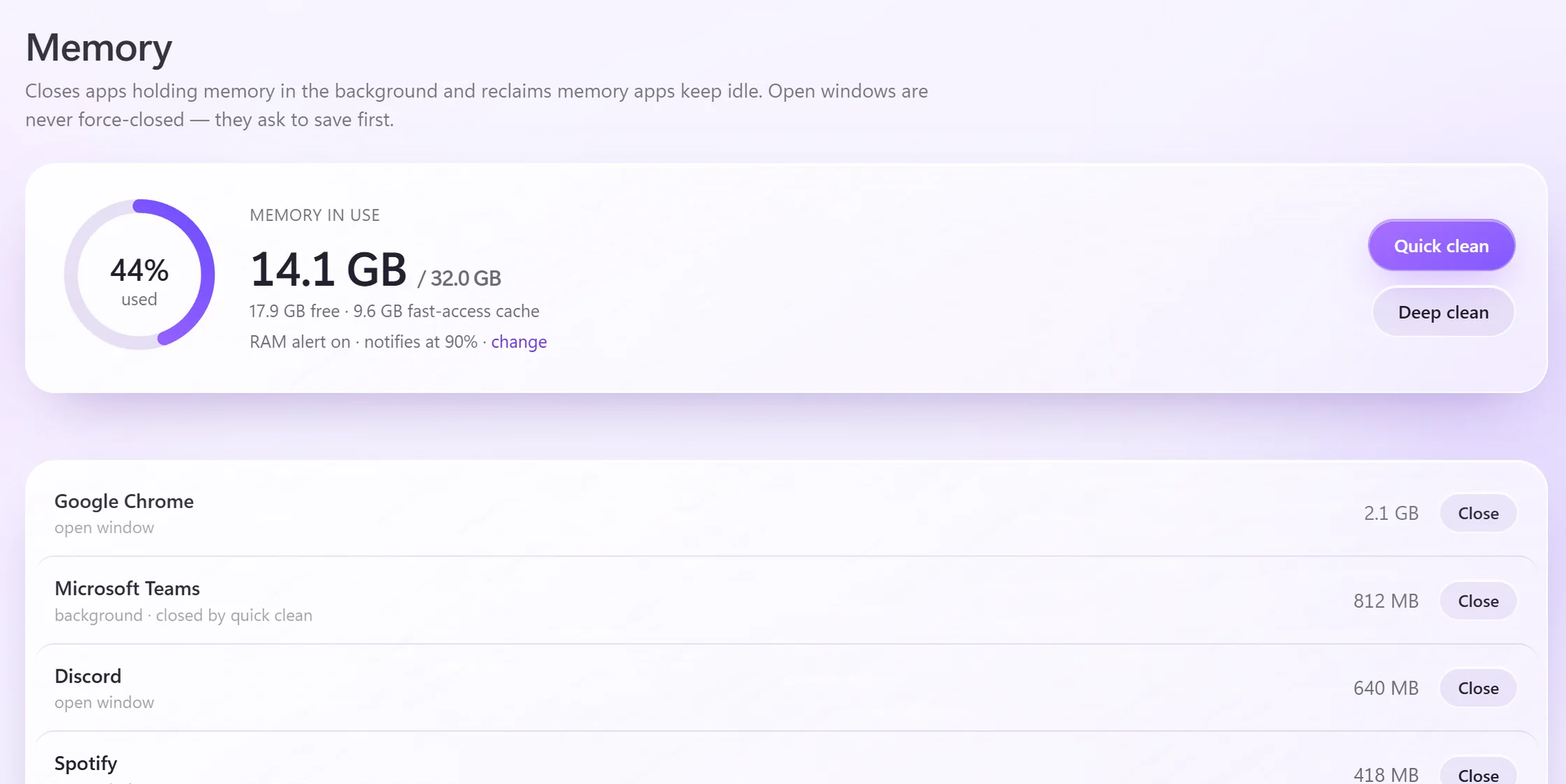
See what’s holding your memory at a glance.
Finds background apps filling up your memory and closes them in one click. If an open window has unsaved work, it asks first; nothing is force-closed.
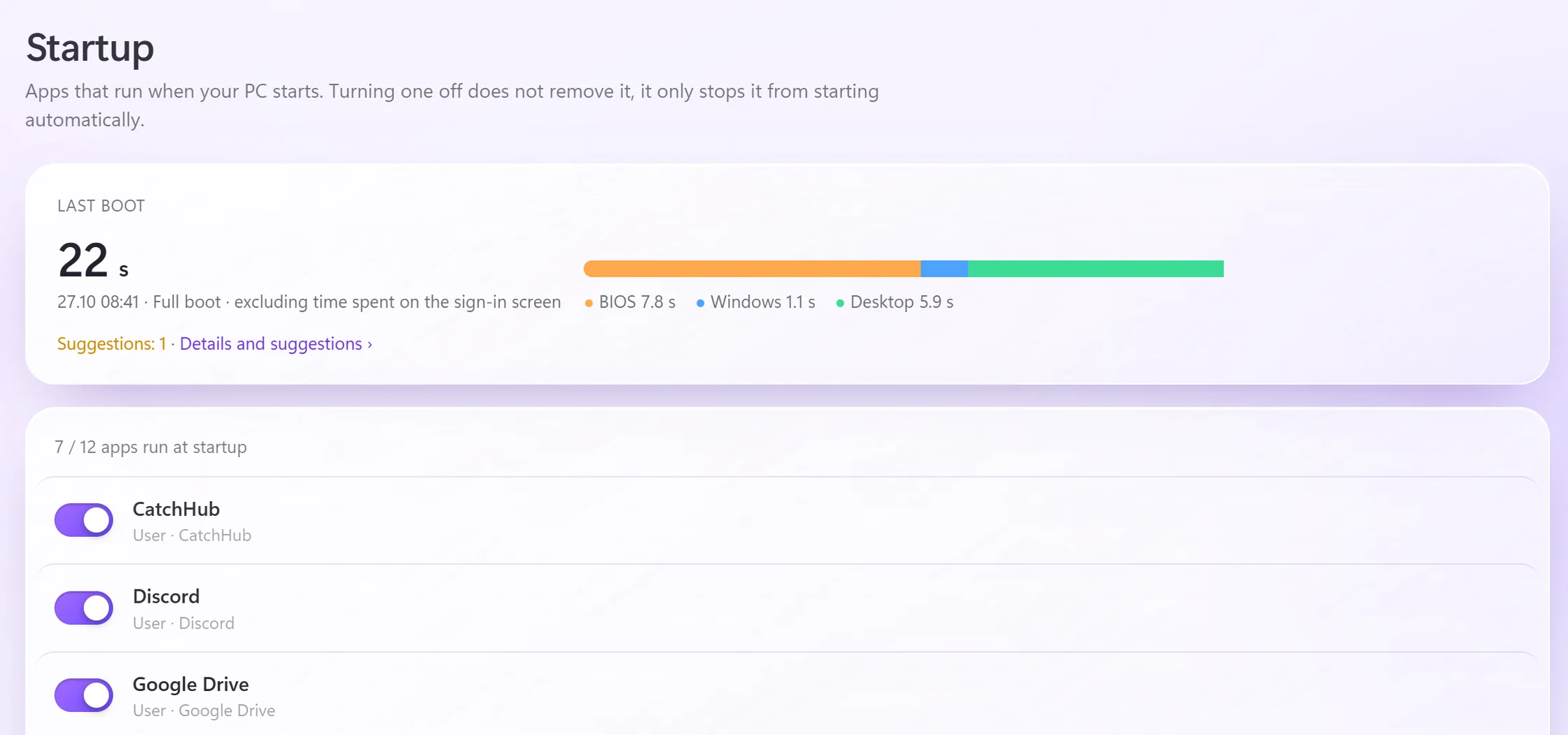
Measures startup and finds what slows it down.
Reads from Windows’ own logs how many seconds your PC takes to start and how long each app holds it up. Turning off what you don’t need takes one click.
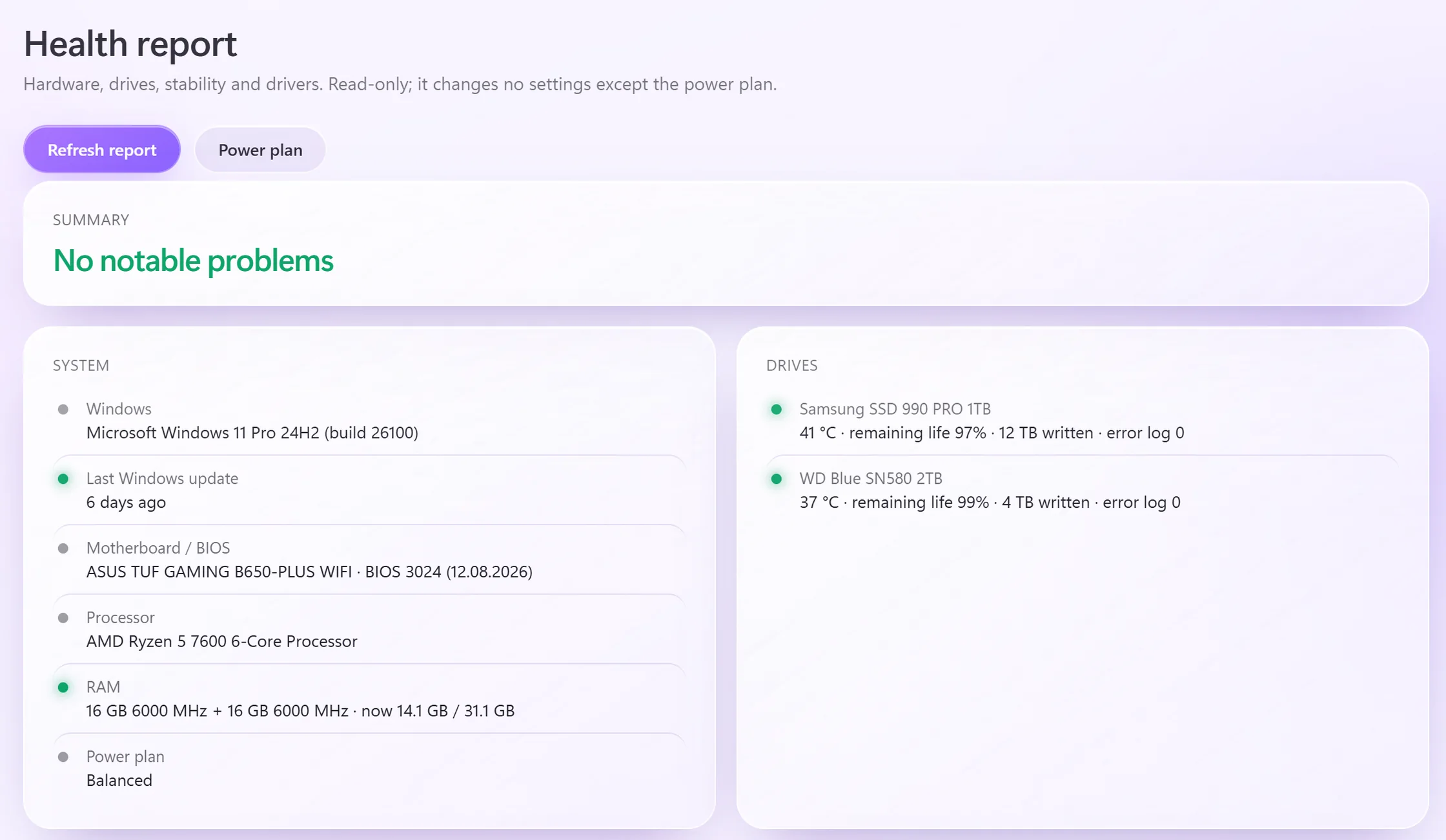
Finds the problem and tells you what to do.
Blue screens, crashing games, drive errors and outdated drivers. Instead of error codes it tells you what happened and how to fix it. The report only reads; it changes no settings.
Steps aside when a game starts.
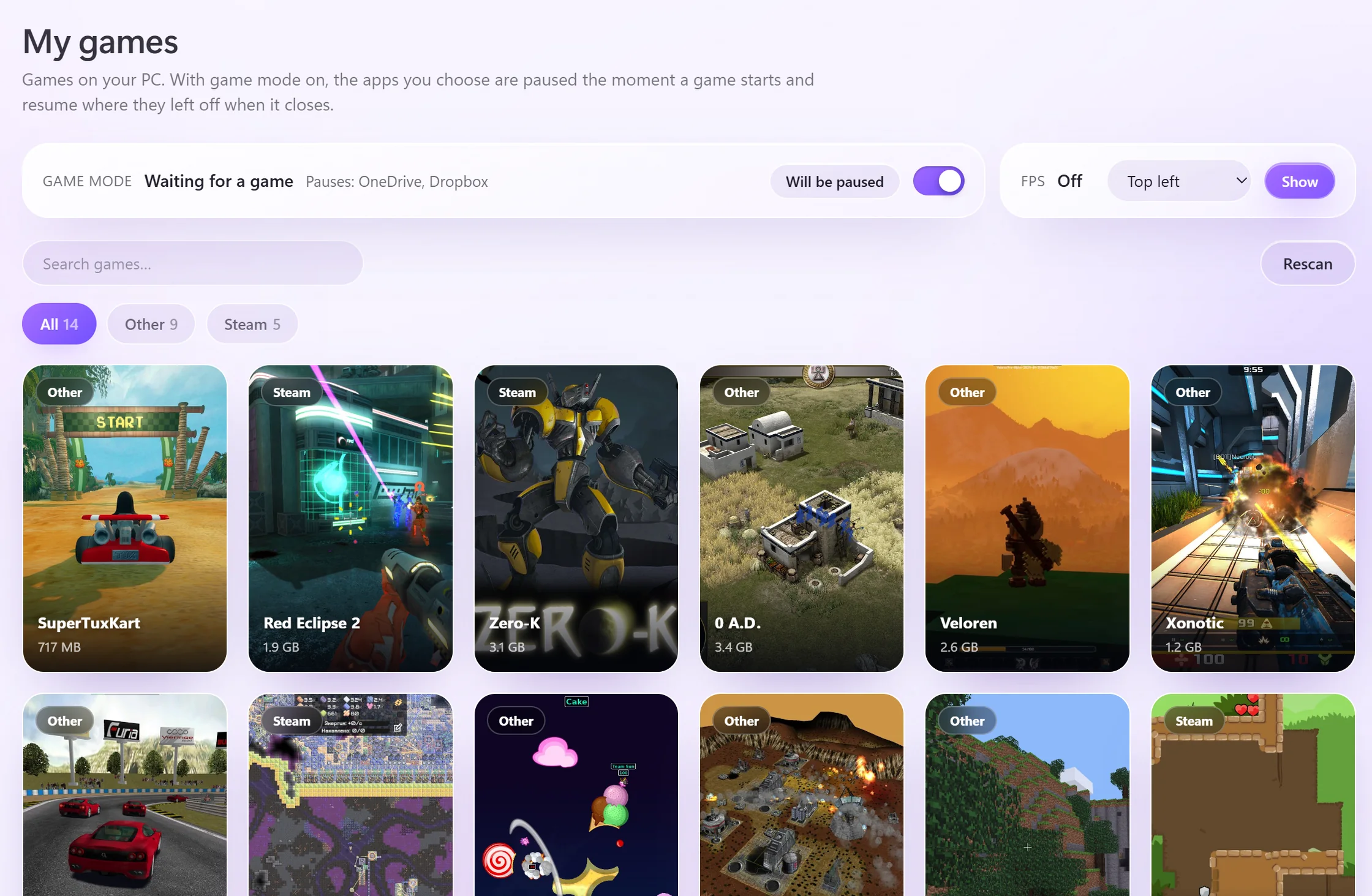
When a game starts it pauses the apps you choose, lowers its own priority and stops its background work. It never touches game files or injects anything into games.
- 21:04VALORANT startedGame mode kicked in
- 21:046 apps pausedOneDrive, Teams and updaters
- 21:04CatchHub stepped asideLowered its priority, paused background work
- 22:31Game closedPaused apps picked up where they left off
Take a closer look
Each of these would be a program of its own.
All features
Everything a PC needs.
Performance
- Quick and deep memory cleanup
- Alert when memory fills up
- Startup apps
- Startup time measurement
- Power plan selection
Gaming
- Steam, Epic, Riot, Xbox and more in one list
- Game mode
- Hand free memory to the game
- FPS counter
- Why games crash and how to fix it
Drives
- Live read/write speed
- Catches a stalling drive
- Temperature, lifespan and error logs
- Disk space analysis
- Safe cleanup
Apps
- Uninstall with leftovers
- Updates, Store included
- Fresh PC bulk install
- Installs from official sources
Health
- Blue screens and unexpected shutdowns
- Hardware errors
- Checks NVIDIA, AMD and Intel graphics drivers
- System info copied in one click
- Internet speed test
Display
- Refresh rate (Hz) setting
- HDR on/off
- Brightness, external monitors too
- Warns when a display runs at low Hz
Windows and network
- SFC, DISM and Windows Update repair
- DNS choice and cache flush
- Back up personal folders
- Desktop icons
- Default apps
Little helpers
- Preview files with Space
- Pick a color from the screen
- Stay awake
- Classic right-click menu
- Text next to the clock
Made for you
- 9 themes
- Türkçe, English, Deutsch
- Runs quietly next to the clock
- Keeps itself up to date
Is it safe?
You always know what it does on your PC.
It shows first, then acts.
Scans and reports only read. Before anything is deleted or closed, you see what will happen and you approve it.
It can be undone.
Deleted files go to the Recycle Bin, registry changes are backed up and most settings can be undone in one click.
Asks for admin rights only when needed.
CatchHub runs as a normal user. For jobs where Windows requires permission, like deep memory cleanup, DNS or Windows repair, it asks for approval for that job only.
Collects no data.
No account, no ads, no usage data. The information on your PC stays on your PC.
See what it connects to ›Updates are verified.
New versions come only from catchhub.net and are verified with SHA-256 before installing; if the file doesn’t match, it isn’t installed.
Leaves your games alone.
It never changes game files or injects anything into games; it only works with Windows’ own settings.
A 25 MB install. Holds up Windows startup for less than a second. No account, no ads, no usage data.
What’s new
- 3.7.0Major updateRedesigned interface, safer uninstalling
Overview is redesigned: status and one-click actions at the top, with live CPU, graphics card temperature, memory and drives. Drives, Cleanup, Startup and the Health report are simpler. Uninstalling is much safer; the installer is down to 16 MB and comes out clean in antivirus scans.
- 3.6.19Sound settings and a freeze fix
Advanced has a new Sound tab: switch speakers, headphones and microphone in one click and set app volumes in one list. CatchHub no longer freezes when opened from the tray during a game. My games is simpler and shows today’s play time.
- 3.6.18Play time, Game audio and Roblox
My games shows play time; music and browsers can get quieter when a game starts. Roblox is now detected as a game, and Experimental has scheduled shutdown.
- 3.6.17Faster updates
New versions download in the background as soon as they’re found, so “Update now” installs right away. The download percentage is shown, and installing doesn’t slow down while a game is open.
Questions
Does it cost anything?
No. No subscription, no ads, no account.
Does it count as cheating in games?
No. CatchHub never touches game files or injects anything into games; it only works with Windows’ own settings.
Windows says “unknown publisher”.
The installer isn’t signed yet, so SmartScreen may warn you. Choose “More info” and “Run anyway”. The Microsoft Store version will be signed.
Chrome says “Suspicious download blocked”.
The installer isn’t signed yet and is new, so Chrome is cautious. Open Downloads (Ctrl+J) and choose “Download anyway” from the menu next to CatchHub-Kurulum.exe.
Should I get it from the Store or from this site?
It’s the same app. The version from this site gets new features the day they’re out. The Store version goes through Microsoft’s review, so it’s updated every few days in bundles; it installs without warnings.
Which versions of Windows does it run on?
Windows 10 (version 2004 or later) and Windows 11, 64-bit.

Get your PC in shape today.
Free. No ads, no account. Windows 10 and 11.
The version from this site gets new features right away. The Store version goes through Microsoft’s review, so it’s updated every few days in bundles.